





In this article, we will discuss how to find your Bitcoin wallet. Digital storage for cryptocurrency has become an integral part of the modern financial ecosystem. They are used for both storing and managing assets earned through computational operations or purchased on the specialized platforms. We recommend the article "Bitcoin Wallet".
Digital wallets offer a high level of security and allow users to control their funds without intermediaries. However, losing access to such wallets has become one of the most common and painful problems for owners.
For most people, finding their digital wallet is not just a matter of recovering financial assets but also regaining control over their financial future. Situations in which access is lost can arise for many reasons: changing devices, deleting applications, losing access to email, or forgetting a recovery key. As a result, funds remain locked, and their owners face a serious challenge.
The complexity of using such wallets is often underestimated. Many users do not take sufficient care in creating backups or securing access keys. The diversity of platforms and devices where these tools may have been created or used adds another layer of difficulty.
For example, digital accounts may be linked to an application on a phone, a computer, or hosted on online services. Each of these options has its own specifics regarding access recovery.
Mistakes made during the initial setup can result in significant financial losses. Key information, such as recovery phrases or backups, is often lost due to a lack of the organization or understanding of their importance. Consequently, users find themselves in situations where their funds, which may be the result of long hours of work, investments, or computational operations, become inaccessible.
This article offers a step-by-step approach to solving this problem. You will learn how to identify the type of your wallet, which tools to use to search for it, and how to regain access. We will cover key scenarios, from forgotten passwords to lost physical devices. Special attention will be given to precautionary measures that will help avoid similar issues in the future.
Digital currencies and their ecosystem continue to rapidly evolve. This means that effective access management is becoming an essential skill for anyone who wants to preserve and grow their funds. Regardless of where your assets are—whether in a smartphone app, on an exchange account, or on a specialized device—access recovery is possible. You only need to know the right steps to take.
Next, we will explore how to locate your wallet, the methods available for recovering access if data is lost, and how to protect yourself from losses in the future.
Types of digital asset storage
Various types of digital storage allow owners to choose between convenience, security, and accessibility. Each type has its own characteristics, as well as advantages and disadvantages that are important to consider.

Software solutions: device applications
Software wallets are designed for installation on mobile phones, computers, or tablets. This is the most popular option for storing digital assets due to its accessibility and ease of use. There are two main types of software wallets: mobile and desktop.
Mobile versions are well-suited for everyday transactions. They provide access to your funds from anywhere in the world where there is internet connectivity. These applications often feature user-friendly interfaces, support camera integration for scanning codes, and allow for quick transfers. However, mobile solutions have their downsides. They are vulnerable to device theft, viruses, or hacking. If a smartphone is lost or damaged and there is no backup, access to the funds may be permanently lost.
Desktop programs offer more opportunities for control and management. They are ideal for those who prefer to conduct transactions using a desktop computer or laptop. With these applications, users gain a better understanding of how to find their Bitcoin wallet. Such applications are more protected against physical theft but remain susceptible to malware. Regular updates and antivirus programs can help minimize these risks.
Cloud services and exchange platforms
Cloud-based wallets and exchange platforms provide users with the ability to access their funds from any device. It is sufficient to remember your login and password. This is a convenient option for those who wish to avoid the complexities associated with installing applications or managing physical devices.
Cloud platforms offer a high level of convenience. You are not tied to a specific device, and access to your funds is possible at any moment. However, trusting these services poses a primary risk. In the event of a platform hack or discontinuation of service, you may lose your funds. Some exchanges compensate for losses, but this is more the exception than the rule.
To protect funds on cloud services, it is recommended to enable two-factor authentication, regularly change passwords, and use only reputable platforms. However, even following these guidelines, you should remember that you are effectively transferring control of your data to a third party.
Hardware devices for storage
Specialized gadgets, such as Ledger and Trezor, are physical devices that connect to a computer or smartphone. They represent one of the safest options for storage. These devices isolate keys from online threats, making it impossible for hackers to gain access.
Hardware devices are convenient for long-term storage. They allow users to hold significant amounts without the risk of being attacked online. Even if the device is lost or damaged, access to the funds can be restored using the recovery phrase generated during initial setup.
The risks associated with hardware devices stem from the physical loss of the device. It is important to keep the device in a secure location and not forget the backup details. While hardware solutions require a certain financial investment, the investment in security is justified.
Paper format: classic offline storage
Physical information carriers remain relevant for those who prefer complete autonomy. This refers to printed codes and keys that can be stored in a secure location. These carriers eliminate online threats as they are not connected to the internet.
To create a paper version, specialized services are used to generate keys. The code can be printed and stored in a safe, a bank vault, or another secure place. This solution is particularly popular among those who wish to preserve funds for long-term use.
The main issue with this approach involves physical risks. Paper is subject to wear and tear, loss, or destruction. If the printout is damaged, recovery may become impossible. Therefore, it is advisable to create multiple copies and store them in different locations.
Comparison of storage types
Each option has its strengths and weaknesses. Software solutions are convenient for everyday use, cloud services offer high availability, hardware devices provide maximum protection, and physical carriers eliminate online threats.
The choice of the appropriate type depends on your needs. If mobility is important, smartphone applications are suitable. If security is a priority, hardware devices should be considered. For long-term storage without frequent use, physical carriers are appropriate. Regardless of the choice, it is necessary to follow precautions to avoid losses.
Searching for lost access: checklist and steps to follow
Recovering access to digital assets requires a systematic approach. To expedite the process and increase the chances of success, one needs to follow a clearly structured plan. Important questions that help recall details and a step-by-step algorithm for searching are crucial. We will break this down point by point.
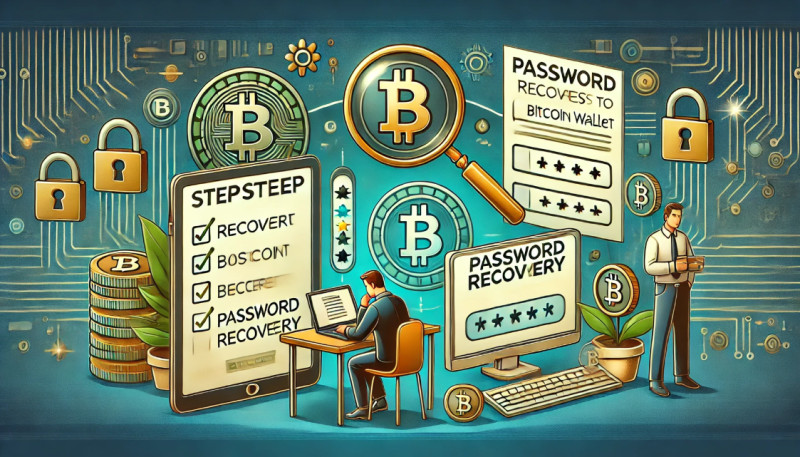
Questions to begin the search
1. Where was your access to the funds created?
- Recall the platform or service you used during the initial setup. It could have been a smartphone application, a computer program, or a website. Ask yourself the question: how to find my Bitcoin wallet by email?
- If you used a specialized device, consider where it is located and what information you may have written down during its setup.
2. Did you use the services of an exchange?
- Check whether you registered on popular trading platforms. Services like Binance, Coinbase, or Kraken might have stored your access to funds. This will help you move closer to solving the question of how to find your Bitcoin wallet.
- Recall what email address you used for registration. This is key to recovery.
3. Where was the information stored?
- If you used an application, check the device on which it might have been installed. This could be a smartphone, tablet, or computer.
- If you stored your data in the cloud, review all connected accounts on Google Drive, iCloud, or other services.
Steps to recover access
1. Systematization of information
- Gather data about all the devices, services, and platforms you have used. Write down everything that comes to mind: creation dates, devices used, and email addresses.
- Determine how you managed access: through software applications, exchanges, hardware devices, or paper records.
2. Search on devices
- Check smartphones, computers, and tablets. Use the search function with keywords related to your assets (names of applications, exchanges, extensions).
- If the device has been sold or given away, try to recall whether backups of the data were made.
3. Checking email accounts
- Searching through your email is an important step. Use filters to look for messages from exchanges, applications, or services where accounts may have been created.
- Search for keywords like "account," "recovery," "registration confirmation." This will help you find important emails, even if they were sent a long time ago.
4. Cloud storage
- Check all cloud storage services you use. Pay attention to files related to accessing data or backups.
- Look for saved recovery phrases or files containing keys.
5. Contacting exchanges and platforms
- If access was linked to a trading platform, log in using your email or phone number. If you have lost your password, use the recovery feature.
- If your account was blocked or has not been used for an extended period, contact customer support. You may be asked to undergo an identification process (KYC).
6. Hardware devices
- If you used a physical device for data storage, locate it. Check whether you have the recovery phrase provided during setup.
- Connect the device to a computer and check if access can be restored.
7. Paper records
- Searching for paper records is the next step. Check notebooks, files, and old printouts. Typically, key records are made manually, so any notes can be important.
- If the record is lost, check if duplicates were made.
8. Using specialized tools
- There are programs that can help recover deleted data on devices. For example, they can find lost applications or files containing keys.
- Exercise caution and use only reputable solutions to avoid fraud.
Warnings and advice
- Do not share your access information with anyone, even if they promise to help. The risks of fraud are high.
- If you are unable to recover access, do not rush to give up. Sometimes old backups or forgotten devices can be found over time.
- After recovery, be sure to make backups and organize their storage.
A systematic approach and utilization of all available resources will help regain access. The key is to remain calm and methodically follow each step.
Recovering access to software wallets: step-by-step guide
Access to digital assets stored in software applications can be lost for various reasons: deletion of the application, change of device, loss of password, or recovery of data. Each of these issues can be resolved by adhering to a systematic approach.
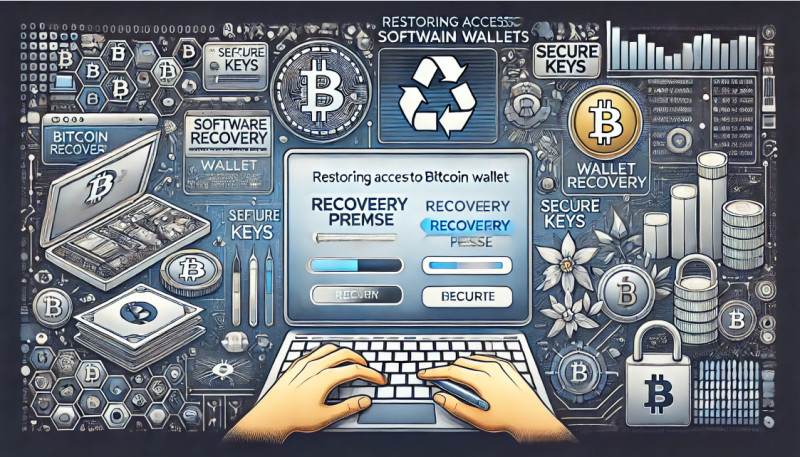
Searching for installed applications
1. Smartphones:
- Check the list of installed applications. On Android, open the settings menu and go to the "Apps" section. On iOS, find the section for managing installed applications in the settings.
- Use keyword searches related to digital assets or check the list of uninstalled applications in the Google Play Store or App Store. This will help you understand how to find your Bitcoin wallet.
2. PCs and laptops:
- On Windows, check the list of installed programs through the "Control Panel" → "Uninstall a program." On macOS, you can find this under the "Applications" section.
- Use the system's search bar to enter the names of applications you might have used.
3. Recovering deleted applications:
- Go to the digital store (Google Play, App Store, Microsoft Store) under the account that was used previously. Look for the "My Apps" or "Previously Downloaded" section.
- After reinstalling the application, use the login function with the details you have saved: email, username, or recovery phrase.
Recovering access via the recovery phrase
1. What is it?
- A recovery phrase is a set of words (usually between 12 to 24) generated when creating a wallet. This phrase allows you to recover access regardless of the application or device.
2. Where should one look for the phrase?
- Check paper records that may have been made during setup. These could be in notebooks, notes, or even photographs.
- If you backed up to cloud services like Google Drive or iCloud, check their contents.
3. What should one do if the phrase is lost?
- Try to remember where you might have written or saved the phrase.
- Users often save it in files, password managers, or as photographs.
- If it is impossible to recover the phrase, access to the data will be lost, as it is an irreplaceable key for restoration.
Password issues
Try standard approaches:
- Recover the timeline of password creation (important dates, names, combinations).
- Use old records if you have documented your passwords.
- Check for autocomplete features in your browser or application. Sometimes, the password may be saved automatically.
1. How to reset a password?
- Many asset storage programs offer a recovery function. This may be available through your email or backup data.
- If such functions are not available, the only option left is to use the recovery phrase.
2. Password managers:
- Check whether you have saved your information in services like LastPass, 1Password, or the built-in managers provided by Google or Apple.
- If the information was entered into a password manager, recovery will take just a few minutes.
Practical tips
- Always check your backup data before installing or uninstalling applications.
- Use specialized services for the secure storage of passwords and phrases.
- If the data is lost, do not attempt dubious recovery methods. This may jeopardize your privacy and funds.
A methodical approach and the use of all available resources will help regain access to digital assets, even if the problem seems unsolvable.
Searching for accounts on exchanges and online platforms
Online services and exchanges often become the primary storage locations for digital assets. Users who have forgotten their credentials can regain access if they follow the right strategy. Platforms such as Binance, Coinbase, and Kraken provide tools for account searching and recovery.

Popular exchanges and their interfaces
1. Binance:
- One of the largest global services with simple navigation.
- To check your account, go to the login page and enter your presumed credentials (email, phone number). If the platform does not recognize them, use the password recovery function.
2. Coinbase:
- Focused on user convenience and a wide range of users. Supports both mobile applications and web interfaces.
- On the main login page, try entering your email address. If you have ever registered, the system will notify you of the account's existence.
3. Kraken:
- Popular among experienced traders. The interface is more suited for professionals but data recovery is intuitively understandable.
- Use the "Forgot Password?" tab to check your credentials.
4. Other platforms:
- If you do not remember the exact name of the exchange, check your email. These services often send confirmation emails, statements, or security notifications. These emails will help you figure out how to find your Bitcoin wallet.
How to check if you have an account
1. Search your email:
- Use keywords such as "registration," "confirmation," "account," "login," and "transaction." This will help you find emails from exchanges if they were registered to your address.
- Check your "Spam" or "Archived" folders.
2. Check your phone number:
- Many exchanges allow login via phone. If you registered using your phone number, the system will offer to send a confirmation code.
3. Browser history:
- If you have ever visited the exchange from a device, check your web browser history. This will help identify the platform where you created your account.
Access recovery procedures
1. Via email:
- Use the password recovery function. Most platforms send instructions to the registered email address.
- If you cannot access your email, recover it through your email provider's support service.
2. Via phone number:
- Log in using the phone number if it was linked to your account. The platform will send an SMS with a confirmation code.
- If the number has changed or is lost, contact the exchange’s customer support.
3. Identity verification (KYC):
- If standard methods do not work, submit a recovery request through the KYC process. This includes:
- Uploading a photo of your passport or driver’s license.
- Taking a selfie with the document for verification.
- You may be asked for additional information, such as transaction history.
Features of account archiving
- Exchanges may archive accounts that have not been used for a long time. This does not mean deletion, but access to such accounts may be restricted.
To recover archived access:
- Contact customer support. Provide as much detailed information about your account as possible (approximate registration time, email, phone number, transaction history).
- Complete any additional verification checks, if required.
Practical tips
- Always keep backups of information such as email addresses and phone numbers used for registration.
- Regularly check on both active and unused accounts on exchanges.
- Use two-factor authentication to enhance the security of your data.
Exchanges provide a wide range of opportunities for account recovery if the user has access to at least one of the initial identification points. Methodical work and careful attention to detail are key to success in this search.
Hardware devices
Specialized devices for storing digital assets are among the safest methods for protection. However, losing the device or forgetting how to use it can cause issues. Access recovery is possible if you follow a simple algorithm.

How to determine if you have a hardware device
1. Recall the purchase process:
- These devices are often purchased through official websites (Ledger, Trezor) or large retailers. Check your purchase history in online stores.
- If the purchase was made offline, think about where this occurred — these devices are sometimes sold in electronics stores or through authorized dealers.
2. Search for documentation:
- Devices are typically sold in compact boxes with instructions. Check your files, drawers, and storage areas for old items.
3. Usage history:
- If you connected the device to a computer, review your USB connection history on Windows in the "Device Manager" or on macOS through "System Information."
4. Search for accounts in applications:
- Many hardware devices operate through proprietary applications, such as Ledger Live or Trezor Suite. Check if such programs are installed on your devices.
Finding the device at home
1. Priority locations:
- Check desk drawers, electronics boxes, bags, and suitcases where you might store small gadgets.
- Hardware devices are usually small and can be hidden in flash drive cases, wallets, or other containers.
2. Use a systematic approach:
- Check all places where you normally store important devices. If you have a specific drawer for electronics, start there. This is also one way to find your Bitcoin wallet.
3. Look for accessories:
- Pay attention to cables, adapters, or cases. If you find these, the device might be nearby.
Regaining access through the recovery phrase
1. What is it?
- It is a set of 12 to 24 words created during the initial setup. This phrase is the key to restoring access to funds in case the device is lost.
2. Where to look for it:
- Check notebooks, notes, computer files, or photographs in cloud storage. Many users save this information as screenshots.
3. What to do once it is found:
- If the phrase is found, you can restore access through a new device or software application. Download the compatible program and follow the instructions for entering the phrase.
4. What to do if the phrase is lost:
- Without the phrase, access recovery is impossible. This is the foundation of security for hardware solutions. Continue searching in places where you might have stored important records.
How to connect the device to a computer to check the balance
1. Connect the device:
- Use the USB cable that came with the device. Connect the gadget to your computer.
2. Launch the application:
- Install the official software for your device. For example, Ledger Live or Trezor Suite are available for download from the manufacturers' official websites.
3. Authenticate:
- Enter the PIN code set during the device's setup. If the code is lost, recovery is only possible through the recovery phrase.
4. Check the balance:
- After authentication, open the application. The balance and transaction data will be displayed in the interface.
Practical tips
- If the device is found but the PIN code or phrase is lost, recovery is only possible through the phrase. Ensure that the search for all data is thorough.
- Use the proprietary software and avoid third-party services for connection.
- After recovery, save the recovery phrase in several locations to avoid losing it again.
Hardware devices provide a high level of security. Even if you forget where it is or how to use it, an organized approach to data searching can help you regain control over your assets.
Actions for storing digital assets on paper
Using paper-based storage options for digital asset information is a popular method to ensure the security of funds by excluding online threats. However, loss or damage to such media can become a serious problem. Solutions depend on the location of the paper medium and the current state of the data.
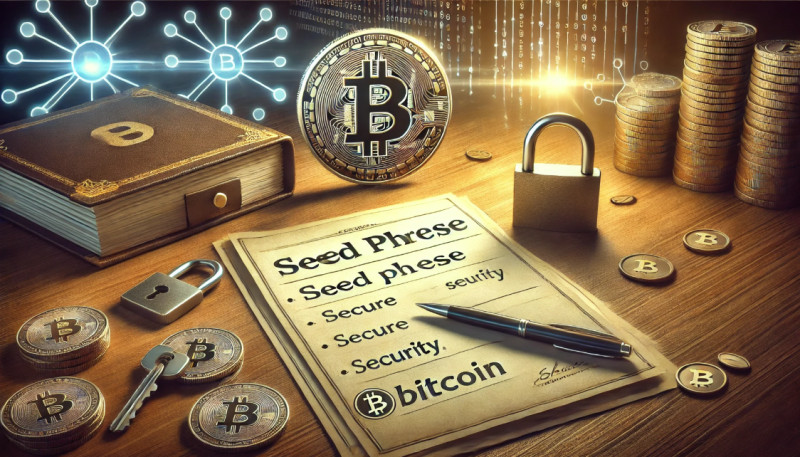
Where to look for the paper medium with data
1. Notebooks and journals:
- Recall where you might have recorded important information. This often happens in notebooks, planners, or on separate sheets stored at home or in the office.
- Double-check old notebooks, even those you have not used in a long time.
2. Printouts and documents:
- If the data was stored on a physical medium, it may have been printed. Check where such papers might be stored: folders, safes, or document cabinets.
3. Old files and photographs:
- If you ever photographed data on paper, check your cloud storage, smartphones, or backups on your computer.
- Use search functions on your devices with keywords related to your assets.
4. Unusual storage locations:
- People often hide important information in unexpected places such as books, boxes, or secret compartments. Carefully inspect your space.
Transferring funds from paper medium to active storage
1. Preparing the data:
- Locate the private key or QR code that was generated for your paper medium. This is the essential information that allows access to the funds.
2. Choosing a new storage solution:
- Select an appropriate tool for transferring funds. This could be a smartphone application, a desktop solution, or a hardware device.
3. Transferring:
- Open the application or program and choose the option to "Import Keys" or "Scan Code."
- Use your device’s camera to scan the QR code, or manually enter the key if it is recorded in text form.
- After successfully importing, transfer the funds to the new storage to minimize risks. This will bring you closer to answering the question: how to find your Bitcoin wallet.
4. Checking completion:
- Ensure that the funds have been successfully moved by checking the balance of the new storage. This will eliminate the possibility of errors or missed data.
Warnings: risks associated with paper damage
1. Physical breakdown:
- Over time, paper media can lose quality, especially if stored in damp or insecure locations. Text may become illegible, and QR codes may become unreadable.
- To prevent this, always create copies at the moment of data generation.
2. Loss of medium:
- If the paper is lost, data recovery becomes impossible. Consider where it may have been accidentally left (in the office, at friends' places, or among old documents).
3. Damage:
- Even minor physical deformities of the paper, such as bends or cuts, can make the data unreadable. If the medium is damaged, try using a magnifying glass or a scanner to improve visibility.
4. Security:
- Never share paper data with third parties. This increases the likelihood of fraud or loss of funds.
Tips for reducing risks
- Transfer data from paper media to more secure storage options as soon as they are found.
- Keep multiple copies of important data in different locations.
- Store originals in fireproof and waterproof safes.
- Create digital backups using encryption to protect the data.
Paper-based storage options have been and remain an effective solution for ensuring autonomy. The key is to handle such media properly, regularly check their integrity, and transfer funds to modern storage options as soon as possible.
When nothing brings result
Losing access to digital assets is not a death sentence if you act methodically and use the available tools. When all standard methods have been exhausted, it is time to delve into the details and apply additional methods for recovering access.
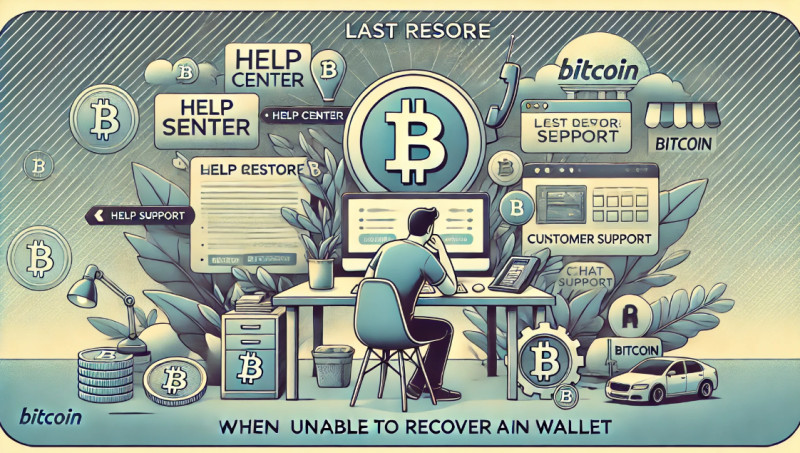
Checking archives
1. Old email accounts:
- Recall all the email addresses you might have used. Log into each one and perform searches using keywords like "account," "login," "registration," "password," and "transaction." This will help you find emails related to the setup of your digital storage.
- Check not only the inbox but also the "Spam," "Deleted," and "Archive" folders. Important emails may sometimes end up there by mistake.
- Pay special attention to emails from services or applications related to crypto storage. These may include recovery instructions, registration confirmations, or transaction notifications.
2. Folders on the computer:
- Use the built-in search feature of your operating system. On Windows, open "File Explorer" and enter keywords like "key," "seed," "backup," "wallet," or their Russian equivalents. On macOS, use the search tool in Finder.
- Browse through folders associated with cloud services such as Google Drive, Dropbox, or iCloud. These are often used for storing backup data.
3. Scanning files:
- Install programs for recovering hidden or deleted files, such as Recuva or Disk Drill. These utilities can recover deleted documents that may contain recovery phrases or passwords.
- Scan text documents, notes, images, or screenshots that might have contained important data.
Using specialized services
1. Data recovery programs:
- There are tools specifically designed to search for lost data related to digital storage. Programs like Wallet Recovery Services or Passware can assist in recovering access when partial data is available, such as damaged files or fragments of phrases.
- Only use trusted services. Before downloading any program, research reviews to avoid scams.
2. Consulting experts:
- Find reputable companies that specialize in access recovery. Some services offer assistance with decoding or recovering lost keys. However, be cautious: such services can be expensive, and there is always a risk of loss of confidentiality. This is not the safest option for finding your Bitcoin wallet.
- If you decide to consult experts, choose companies with an impeccable reputation and official licenses. Ensure they do not require you to transfer original data.
What to do if the storage is lost forever
1. Accept the inevitable:
- If all methods have been exhausted and access has not been restored, it is important to come to terms with the loss. Continuous attempts may only increase stress, and incorrect actions could heighten risks.
2. Learn from mistakes:
- Create a new data storage system based on past errors. Keep a log of all passwords, recovery phrases, and keys. Use secure applications for password management or create paper copies stored in multiple locations.
3. Evaluate other resources:
- If the lost funds constituted a significant portion of your assets, consider diversification. Invest in more secure storage tools or expand your investments into other areas.
4. Prepare for the future:
- Utilize modern data protection methods. This may include hardware devices that can be easily recovered using backup phrases or services with advanced authentication systems.
Practical tips
- Do not trust services that promise instant data recovery. Many of them are fraudulent.
- Create a data backup system and regularly check its relevance.
- In the event of complete file deletion or data loss, avoid actions that could overwrite the data on the hard drive. This will increase the chances of recovery.
Every loss is a lesson learned. A thoughtful approach to data storage and a well-developed security system can help prevent similar situations in the future. Even if funds are lost, it is important to act calmly and methodically to make the most of the available opportunities.
Security recommendations
Digital assets require maximum caution and a knowledgeable approach to management. Loss of access or loss of important data can result from human error, insufficient preparation, or negligence toward basic security measures.
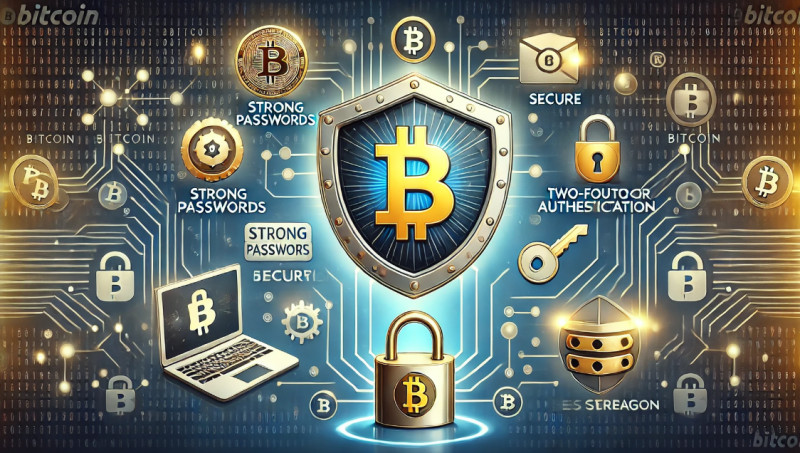
To prevent such problems, it is important to plan your data storage strategy, protect your keys, and conduct regular checks in advance. Proper organization and the use of modern tools will help avoid issues and secure your assets.
The table below contains key recommendations that will help minimize risks, ensure data preservation, and prevent losses.
| Recommendations | Description | Tips |
| Creating Backups | Data backup is the foundation of security. It allows for the recovery of access even in the case of device loss or application deletion. | Create multiple copies of important data, such as recovery phrases or keys. Store them in secure locations, such as a bank safe or with a trusted confidant. Update the copies when the data changes. |
| Using Password Managers | Password managers automate the process of storing and protecting login data. This reduces the risk of forgetting passwords or losing them. | Use trusted services like LastPass or 1Password. Create strong master passwords and store them separately. Enable two-factor authentication for enhanced security. |
| Regular Status Checks | Regular monitoring helps identify problems in a timely manner, such as suspicious activity or data aging. | Monthly, check the balance, transaction history, and functionality of the platforms you use. Ensure that all backups are accessible and current. |
| Data Encryption | Encryption makes data inaccessible to third parties, even if it falls into the wrong hands. This is especially important for protecting recovery phrases. | Use built-in encryption features on your devices or third-party programs. Protect files with passwords and create encrypted backups. |
| Storing on Multiple Media | Storing data in only one location creates a high risk of loss. Duplicating information across multiple media reduces the likelihood of total loss. This minimizes risks and speeds up the process of finding your Bitcoin wallet. | Store backups on physical devices (USB drives, external hard drives) and cloud services. Use secure storage places, such as safes, and distribute data across multiple locations. |
| Maintaining Privacy | Information leaks can lead to loss of access to assets. Adhering to privacy rules is an important element of security. | Never share your data, including keys, with third parties. Avoid using public Wi-Fi networks to work with digital assets. Always check what website or application you are entering your data into. |
| Using Two-Factor Authentication (2FA) | An additional layer of protection requires confirmation of login through a code sent to your phone or email. | Enable 2FA for all services related to digital assets. Use authenticator apps, like Google Authenticator, for greater security compared to SMS codes. |
The security of digital assets is not a one-time task, but an ongoing process. Effective management, regular monitoring, and the use of modern tools can help minimize risks. Even small changes in your habits, such as creating backups or using encryption, can prevent significant losses.
Ensure multi-level protection for your data: store it on multiple media, use encryption, and trust only reputable services. Regular checks and careful attention to detail will help you maintain control over your assets even in the long term. Remember: security always starts with you.
Conclusion
Storing digital assets requires responsibility and a systematic approach. Each step in management, from choosing the right tools to creating backups, affects the preservation of assets. Loss of access can present a significant challenge, but in most cases, the chance for recovery remains if you act methodically and utilize available resources.
Summary
Working with digital assets requires adherence to three key principles: caution, planning, and regular monitoring. Key points to remember:
- Data storage: The reliability of storing keys, phrases, and passwords directly correlates with the safety of funds. Use multiple media and encryption.
- Relevance of information: Outdated data or inaccessible media can lead to loss of access. Update your reserves if you change any data. This is also very important for those interested in how to find their Bitcoin wallet.
- Choice of tools: Applications, devices, and platforms must be tested and reliable. Do not risk trusting dubious services.
Each storage method has its own features and risks. Success lies in the smart combination of convenience and security. If you encounter issues, do not despair: in most cases, access can be restored, especially if you previously created backups or documented important data.
The situation of losing access may seem complicated, but it is rarely hopeless. Even if standard methods did not help, additional tools exist: data scanning, expert assistance, and the use of backups. Each case is unique, and the likelihood of successful recovery remains high when approached responsibly.
Even in situations where access seems permanently lost, this serves as a valuable lesson. It motivates better protection of data, the use of modern security technologies, and careful management of assets. Maintaining control over digital assets is a skill that can be developed. Today, we discussed how to find your Bitcoin wallet.
Do not delay auditing your storage systems. Regular data checks, updating backups, and using secure solutions will help avoid problems in the future. Create a data storage system:
- Develop a list of all tools and platforms used.
- Ensure that backups are accessible and protected.
- Use two-factor authentication and password managers.
It is always easier and cheaper to prevent an issue than to solve it. Regular monitoring, timely data updates, and effective management are the foundation for long-term success.
Every user of digital assets can become an expert in their preservation if they carefully monitor the status of their storage. Your data is your capital, and its security is entirely in your hands.


 Back to articles